Accessing the Build Outputs
Many outputs can be opened in TerraExplorer after the build is complete. The supported outputs include: 3DML, AT Calculated Photos, AT Tiles, DSM, DTM, and Orthophoto. These outputs are added to the Build Outputs list when a build is finished. The Build Outputs list is organized by build. Each build can be expanded in the list to show all the outputs generated in that build.

To view a build output in PhotoMesh:
§ In the Build Outputs list, select the Visible check box of the output you want to display in the 3D Window.
To open a build output in TerraExplorer:
§ In the Build Outputs list, select one of the outputs, and click Open with TerraExplorer  . A FLY file opens in TerraExplorer with the 3DML, AT Calculated Photos, AT Tiles, DSM, DTM, and Orthophoto outputs, if they were generated in the PhotoMesh project.
Note: The Build Outputs list also provides an Open Project's Output Folder  option to access any of the project’s outputs.
3DML Display Style Options
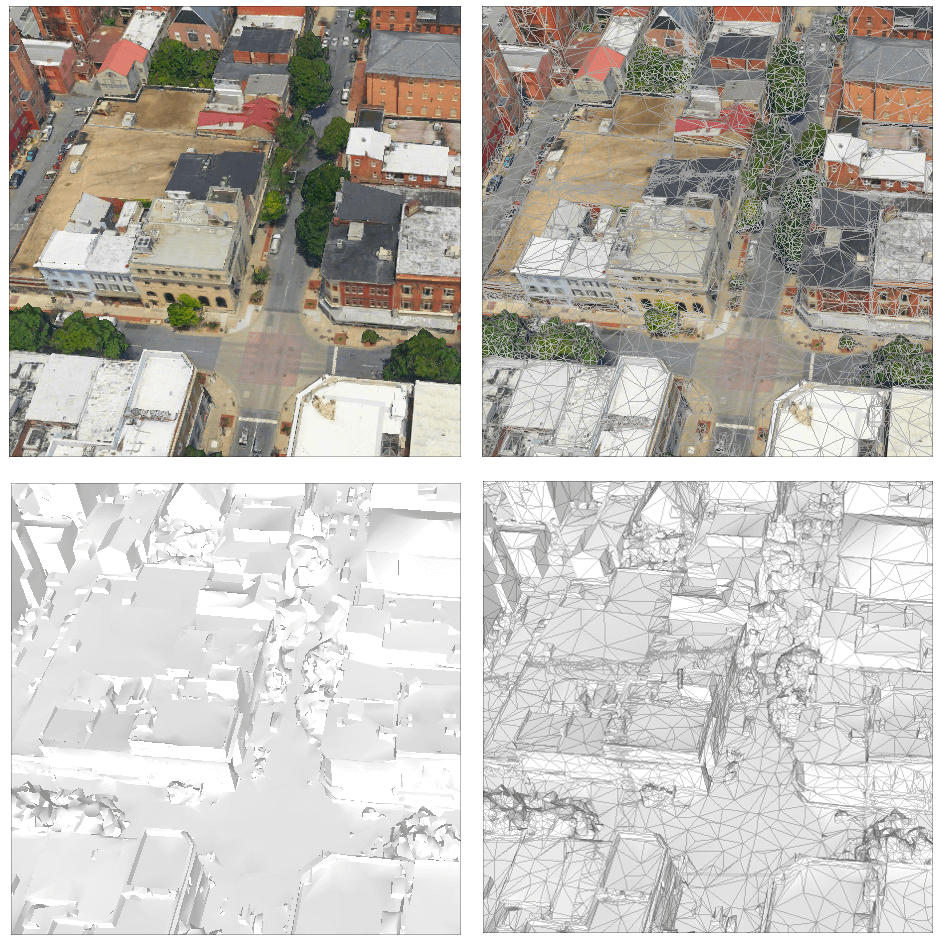
Several style options are available for displaying the mesh model output. The mesh model can include a wireframe and be textured or solid color.
To select a mesh layer display style:
§ On the View tab, in the Mesh Layer group, select the arrow under Display Style and select a style:
§ Texture
§ Texture + wireframe
§ Solid color
§ Solid color + wireframe
Exporting DSM Output to LAS/LAZ
DSM output can be exported to LAS/LAZ format.
To export DSM output to LAS/LAZ:
1. Select the Build Outputs group in the Project Panel, and then in the Build Outputs list, right-click the required DSM build output, and select Export to LAS/Export to LAZ . The Select LAS/LAZ dialog is displayed.
2. Browse to the output folder, and click Select Folder.