Changing Your SkylineGlobe Account Password
You can change your SkylineGlobe account password directly from TerraExplorer. You must be logged in to a SkylineGlobe server to manage your account. If you logged in using an access token, you can load and edit layers for which have valid view/edit access, but you cannot access "My Account". See “Logging In to a SkylineGlobe Server” in this chapter for information.
To change your SkylineGlobe account password:
1. On the top right of the application ribbon, click the arrow next to the User Name of the logged in user, and select My Account. The SkylineGlobe Account dialog is displayed.
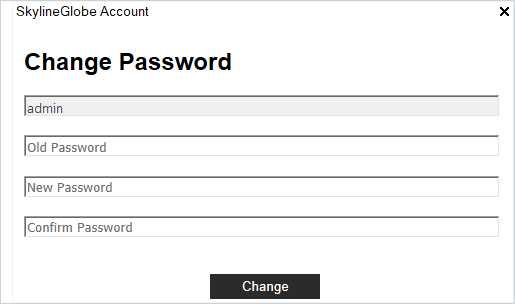
SkylineGlobe Account Dialog
2. Type your old password.
3. Type your new password and confirm it, and then click Change.