Navigation
The Navigation settings allow you to define free flight behavior, including the characteristics and limits of free flight navigation. These settings do not affect pre-determined fly-through such as fly-to object or fly-to location.
Free flight navigation can be controlled with one or more of the following input methods:
§ Mouse
§ Keyboard
§ Joystick
§ Control panel.
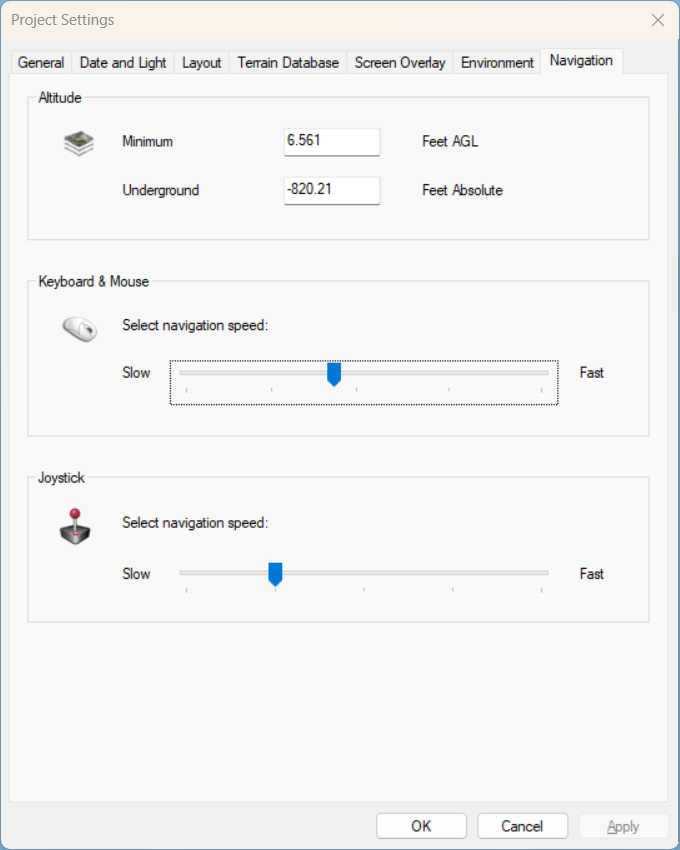
Project Settings - Navigation Tab
|
Parameter |
Activity |
|
Altitude |
|
|
Minimum Altitude |
Type the minimum altitude allowed in meters or feet above ground level. The units are selected in the Options dialog. See "View" in the "Using TerraExplorer Options" chapter for information |
|
Underground Surface |
Type the altitude above the terrain database vertical datum base ellipsoid in meters or feet. The units are selected in the Options dialog. See "View" in the "Using TerraExplorer Options" chapter for information |
|
Keyboard & Mouse |
|
|
Navigation Speed |
Slide the slider to set navigation speed when using the keyboard controls. See "Navigating Using the Keyboard" in the "Navigating in the 3D World" chapter for information about keyboard controls. |
|
Joystick |
|
|
Navigation Speed |
Slide the slider to set the joystick’s speed. |